

智简魔方业务V10系统 – 商品描述栏目美化
- 时间:1年前
- 浏览:2次
Q Q咨询:992428466 电话咨询:15670327321
前言
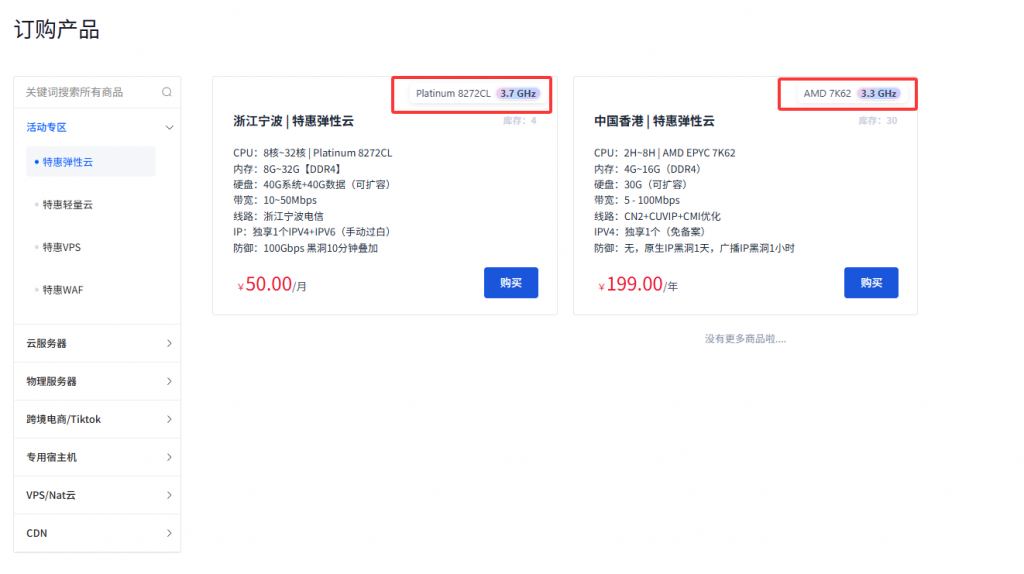
主包在逛某家平台的时候发现他家的商品介绍挺别致的,感觉还不错,所以就弄了下来,下面是演示截图和操作教程,有需要的可以自行研究获取
界面预览
修改教程
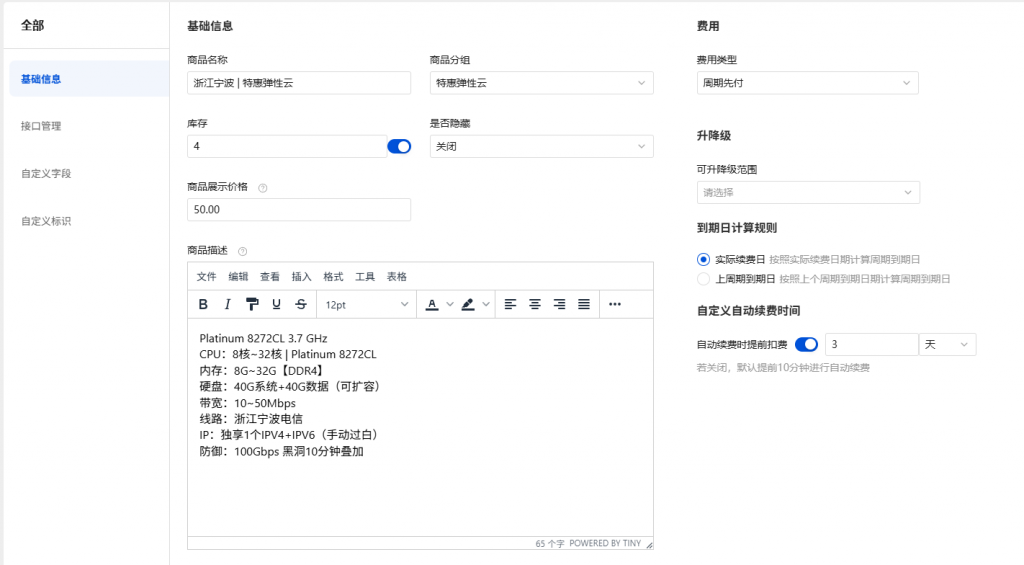
- 首先我们进入到后台,进入到商品管理界面,找到你需要编辑的商品,点击进入
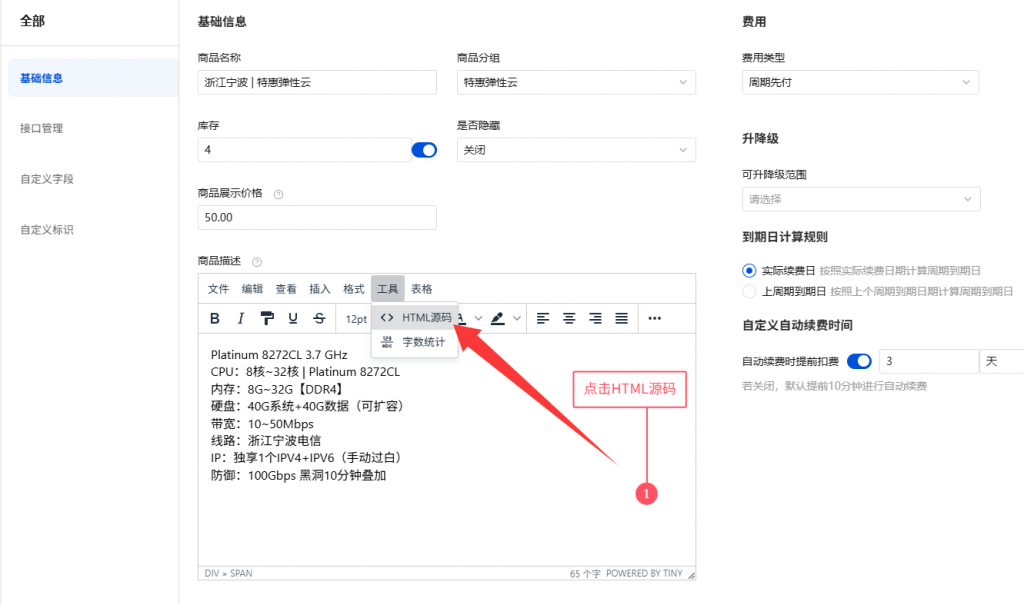
随后我们找到商品描述,找到编辑器的工具,点击它,然后找到HTML源码
随后我们将以下样式代码放到<head></head>标签里
<style>
.shopping-item .goods-description * {
    all: revert;
}
    .shopping-item .goods-description .cpu-plate {
    display: inline-flex;
    align-items: center;
    gap: 6px;
    padding: 3px 7px;
    background: rgba(255, 255, 255, 0.18);
    border: 1px solid rgba(255, 255, 255, 0.7);
    border-radius: 6px;
    color: #444a60;
    font-family: "Segoe UI", sans-serif;
    font-size: 13px;
    line-height: 1.2;
    backdrop-filter: blur(12px);
    -webkit-backdrop-filter: blur(12px);
    box-shadow: 0 2px 6px rgba(0, 0, 0, 0.08), inset 0 1px 1px rgba(255, 255, 255, 0.6);
    position: absolute;
    top: 8px;
    right: 12px;
}

.shopping-item .goods-description .cpu-hz {
    padding: 1px 6px;
    background: linear-gradient(135deg, rgba(255, 201, 228, 0.92), /* 淡粉 */ rgba(186, 214, 255, 0.95), /* 浅蓝 */ rgba(211, 197, 255, 0.95) /* 淡紫 */);
    color: #39405a;
    border-radius: 999px;
    font-weight: 700;
    font-size: 12px;
    border: 1px solid rgba(255, 255, 255, 0.9);
    box-shadow: inset 0 1px 1px rgba(255, 255, 255, 0.9), 0 1px 2px rgba(0, 0, 0, 0.12);
    letter-spacing: 0.2px;
}
</style>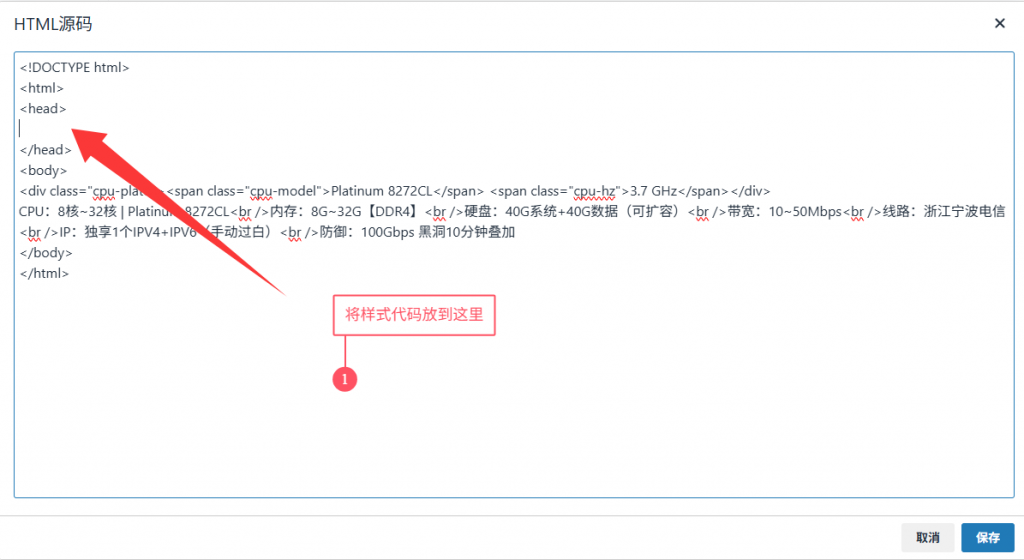
最后我们将以下代码放到<body>标签下即可
<div class="cpu-plate"><span class="cpu-model">这里可以填写CPU名称</span> <span class="cpu-hz">这里填写CPU频率</span></div>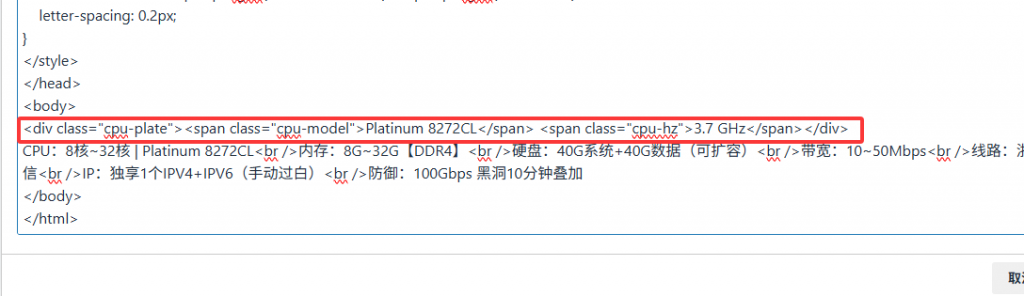
- 教程到这里就结束了,赶紧动手试试吧
Q Q咨询:992428466 电话咨询:15670327321